
Image processing & AI that never leaves your Mac
Your images never leave your Mac — no uploads, no servers, no tracking. Free tools to compress, convert, crop and watermark, plus on-device AI to upscale, remove backgrounds, erase objects, anonymize, restore faces, extract text, and generate images.

Free to download · Pro via in-app purchase
OtterPix is now available on the Mac App Store. The basic tools are free forever; OtterPix Pro unlocks the on-device AI features. Every operation runs locally — no uploads.
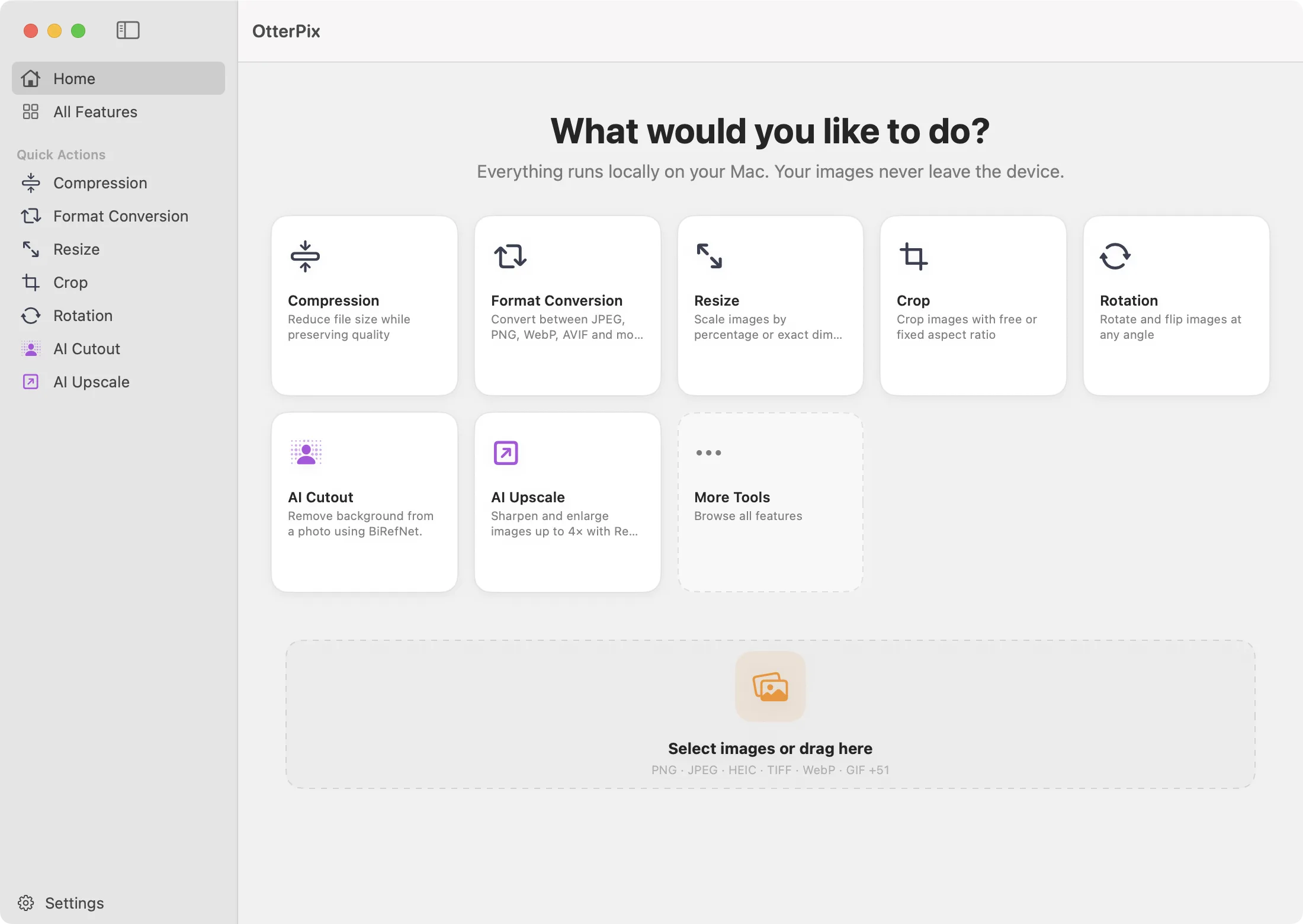
A pipeline, a folder, a single click.
Chain any combination of tools — convert, compress, resize, watermark, AI cutout — and apply them to a whole batch at once.

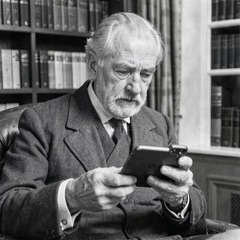


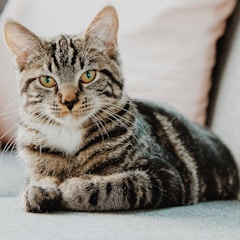
A pipeline runs every step on every image, in order.
Everything you expect from a Mac image utility
Ten built-in tools plus the Pipeline composer, all offline, all free.
Format Conversion
PNG · JPEG · TIFF · BMP · HEIC · WebP · AVIF
Compression
JPEG quality, PNG re-encoding, WebP / AVIF presets
Rotation
Free angle or quick 90° flips
Resize
720p / 1080p / 4K presets or custom dimensions
Crop
Interactive canvas with draggable handles
Watermark
Text watermarks with font, color, opacity, angle
QR Code
Configurable error correction and size
PDF to Image
Render PDF pages to JPEG / PNG at any DPI
Metadata Inspector
Read, edit, or strip EXIF / GPS / IPTC across one or many images
Batch Rename
Template-driven renaming with EXIF tokens (camera, date, counter…) into a chosen folder
Pipeline
Chain operations into reusable presets, batch-process whole folders
On-device AI, no cloud round-trip
Every AI feature runs locally on Apple silicon via Apple's MLX framework. Weights are downloaded once and reused — no per-image API fees, no images leaving your Mac.
AI Image Generation
On-device AIText-to-image generation, fully on-device. Reference images supported for restyling and composition.
AI Upscale
On-device AISharpen and enlarge photos with on-device AI. Multiple modes for photos, anime, and video.
AI Cutout
On-device AIPrecise background removal with subject + hair edge refinement. Choose fast or flagship quality.
AI Eraser
On-device AIPaint over unwanted objects, the background fills in naturally. Iterate as many times as you need.
AI Anonymize
On-device AIAuto-detect people and vehicles, then blur or mosaic them. Toggle each instance on or off before applying.
AI Face Restore
On-device AISharpen blurry or low-quality face features in old portraits. Faces only — backgrounds, scratches, and fading stay as-is.
AI Text Recognition (OCR)
On-device AITurn papers, PDFs, and screenshots into editable text and rich Markdown — real tables, typeset math formulas, inline figures.
See it work
Real screen captures from the app — nothing staged, nothing sent to a server. Every frame is rendered on your Mac.
One click isolates the subject from the background, with hair and fine edges refined automatically.
Brush over anything you want gone — the gap is filled with believable background, as many passes as you need.
People and vehicles are detected automatically, then blurred. Toggle any individual one on or off before exporting.
Pricing
Basic tools — plus AI Image Generation and AI Text Recognition — stay free forever. Pro unlocks the five other AI features: Upscale, Cutout, Eraser, Anonymize, and Face Restore.
Free
ForeverAll ten built-in tools · Pipeline · AI Image Generation · AI Text Recognition (OCR) · HEIC / WebP / AVIF format conversions · Batch processing
Pro
$39.99 / year — save 33%AI Upscale, AI Cutout, AI Eraser, AI Anonymize, AI Face Restore — all on-device. Also $4.99 / month or $99.99 lifetime.
FAQ
What image formats does OtterPix support?
Read and write: JPEG, PNG, TIFF, BMP, HEIC, WebP, AVIF. PDFs can be rendered to images at any DPI. Most operations preserve color profiles and EXIF orientation.
Does the OtterPix Mac app upload my images or collect any data?
No. Every operation — including all AI features — runs locally on your Mac. The Mac app contains no analytics SDK, no telemetry, no image upload. Its sandbox entitlements grant network access only for downloading model weights from Hugging Face on first use of each AI feature, and for App Store subscription verification. (Note: this marketing site at otterpix.app does use Google Analytics 4 with your consent; see our Privacy Policy.)
Do the AI features need an internet connection?
A network connection is required to download the model weights you choose. The app also makes small, fail-soft StoreKit, download-routing, and model-manifest requests described in our Privacy Policy. Once the required weights are present, image processing and AI inference run without cloud processing. Task-specific model and quality choices stay in each feature; AI Settings shows the same resumable download progress and manages storage.
Which AI features ship today, and how do they run?
Seven on-device AI features: image generation, image upscaling, background cutout, object eraser, anonymize (people / vehicle blur), face restoration, and text recognition (OCR). All inference runs through Apple's MLX framework, accelerated by the Neural Engine and GPU on Apple silicon. Each feature uses an open-source model bundled with the app; license attributions and full credits are listed in the app's About screen.
What Mac do I need?
macOS 14 (Sonoma) or later, on an Apple silicon Mac (M1 or newer). Intel Macs are not supported because MLX targets the unified-memory architecture. For AI image generation we recommend 16 GB RAM or more.
Does OtterPix support batch processing?
Yes — the Pipeline feature lets you chain any combination of operations (convert, resize, crop, watermark, upscale, cut out…) into a single preset and run it across a whole folder of images.
Where can I download OtterPix?
OtterPix is available now on the Mac App Store — free to download, with the basic tools free forever and Pro as an in-app purchase.